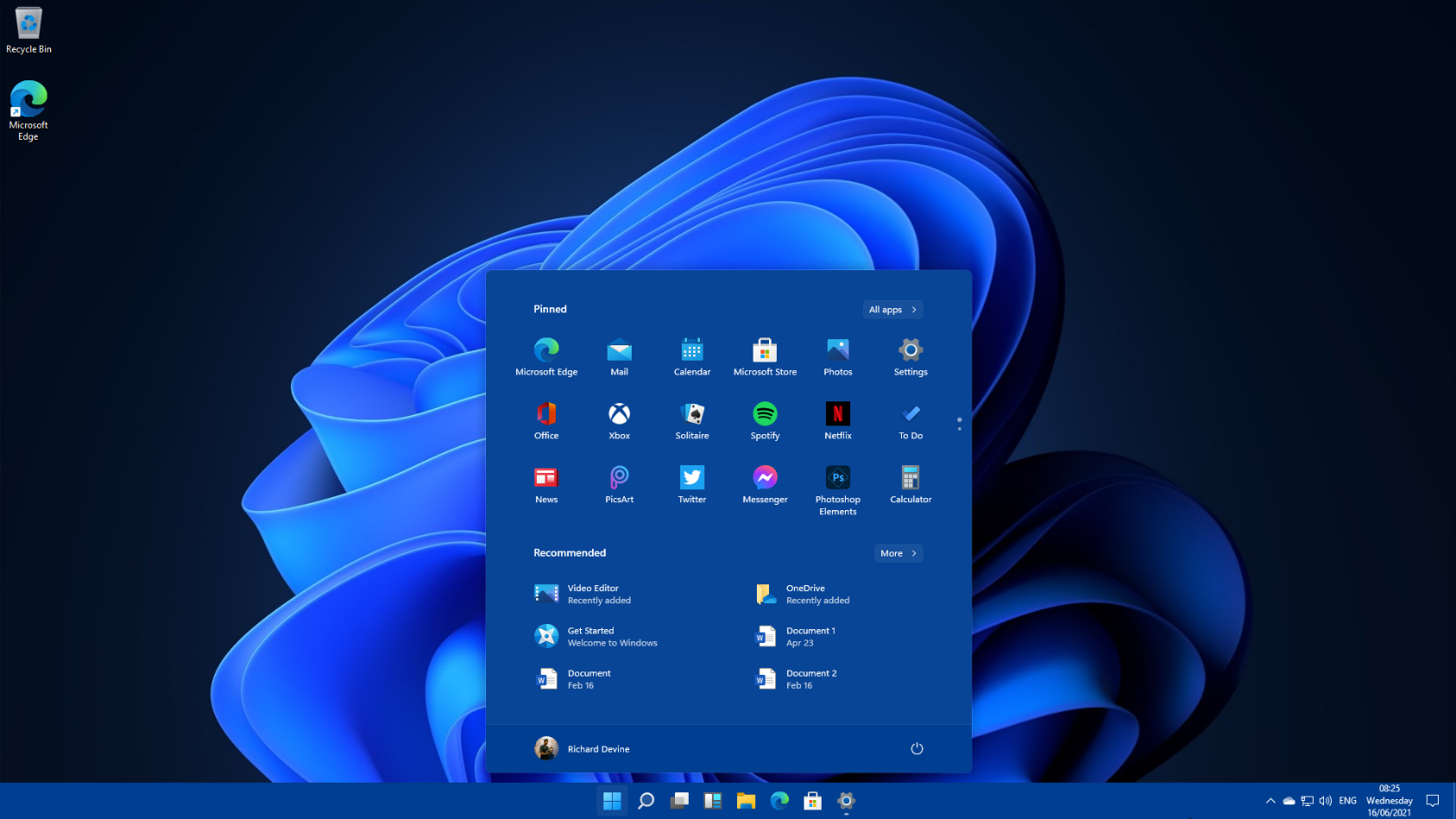
Microsoft revealed Windows 11 recently and with that, the hype rose very fast. There are many questions on the mind of people about the new features, Security, Price and so on. So in this post will try to cover all the information about windows 11 received till now.
Windows 11 Release Date:
Though the Leaked build and the Insider preview are already there people are still wondering when will the official build be there.
It is speculated that Windows 11 might be released in October.
Windows 11 minimum requirements:
> RAM: 4 gigabyte (GB)
> Storage: 64 GB or larger storage device
> System firmware: UEFI, Secure Boot capable
> TPM: Trusted Platform Module (TPM) version 2.0
> Graphics card: Compatible with DirectX 12 or later with WDDM 2.0 driver
>Display: High definition (720p) display that is greater than 9” diagonally, 8 bits per color channel
> Internet connection and Microsoft account
Windows 11 new Features:
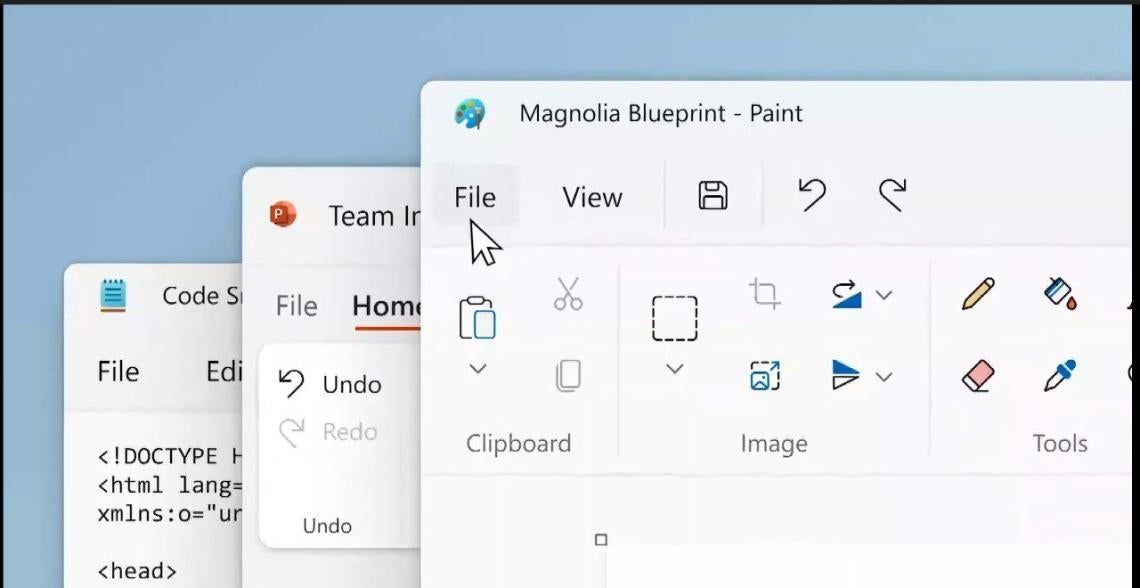
New Revamped UI:
Android Apps Support:
/cdn.vox-cdn.com/uploads/chorus_image/image/69505477/MicrosoftTeams_image_1_1024x683.0.png)
Better Tablet Support:
Widgets:

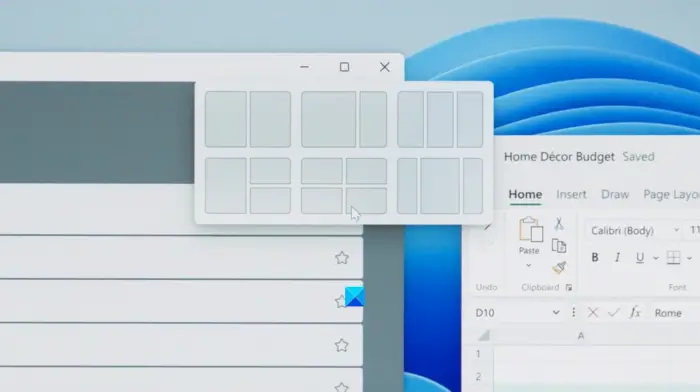
Snap Layouts:
Team Chat Integration:

Gaming:

Frequently asked questions about Windows 11
Windows 11 has all the power and security of Windows 10 with a redesigned and refreshed look. It also comes with new tools, sounds, and apps. Every detail has been considered. All of it comes together to bring you a refreshing experience on your PC.
PCs with Windows 11 pre-installed will be available later this year.
It depends! Many different manufacturers will offer a variety of devices that will run Windows 11, all at different price points.
PCs that come with Windows 11 pre-installed will be available from a broad selection of retailers later this year. Details to come.
If your accessories worked with Windows 10 and meet the Windows 11 requirements, they should work with Windows 11. If you want to be sure, please check with your accessory manufacturer.
Most Windows 10 PCs currently being sold will be able to upgrade to Windows 11. For the PC to be able to upgrade to Windows 11, it must meet the minimum hardware specifications and specific hardware is required for some features. The upgrade rollout plan is still being finalized but is scheduled to begin late in 2021 and continue into 2022. Specific timing will vary by device.
There are a few ways to find out. If you’re currently shopping for a new PC look for “Free upgrade to Windows 11” on the fact tag. You can also ask your retail sales professional to confirm.
If your existing Windows 10 PC is running the most current version of Windows 10 and meets the minimum hardware specifications it will be able to upgrade to Windows 11. The upgrade rollout plan is still being finalized, but for most devices already in use today, we expect it to be ready sometime in early 2022. Not all Windows 10 PCs that are eligible to upgrade to Windows 11 will be offered to upgrade at the same time. To see if your PC is eligible to upgrade, download and run the PC Health Check app. Once the upgrade rollout has started, you can check if it is ready for your device by going to Settings/Windows Updates.
Yes! Windows 10 continues to be a great version of Windows. We have committed to supporting Windows 10 through October 14, 2025.